|
Modify form or object properties |
  
|
|
Modify form or object properties |
|
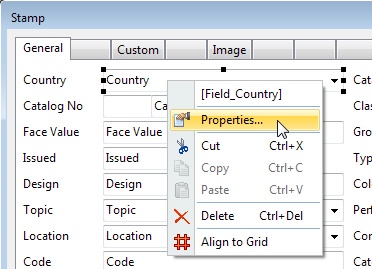
To modify either the form properties, or the properties of a form object, right-click the form background or the form object, and choose Properties from the popup menu.