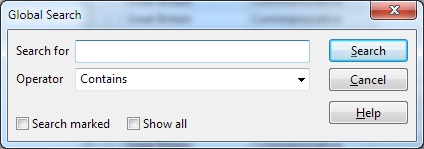
| 1. | Choose Global from the Search menu. You see the 'Global Search' window. |
| 2. | In the Search for text box, type the text you want to search for. |
| 3. | To search the subset only, select the Search subset check box. |
| 4. | If you want StampCAT to mark all stamps found in the search, and then show these records (activate the subset), select the Show all check box. |
| 5. | Press the Search button to execute the search. |