Navigation: CATraxx FAQ > Sort Order >
Sort on the Artist field


|
Navigation: CATraxx FAQ > Sort Order > Sort on the Artist field |
|
Manually exclude artists from sort order
It is possible to manually exclude artists from the artist sort order.
For example, suppose you have a track with two artists, like this:

By default, the track is sorted on both Neil Young and Crazy Horse, and as a result the track is listed after the other Neil Young tracks:

To tell CATraxx that you want to exclude an artist from the sort order, simply type "*" in the role column of the Artist field, like this:

The track is now sorted by the first artist only ("Neil Young"), and the track is listed among the other Neil Young tracks:

Exclude artist roles from sort order
If you want to exclude artists linked to an artist role (for example "feat." or "with) from the sort order you need to edit the Artist Role lookup table, and check the 'Exclude from Sort Order' box.
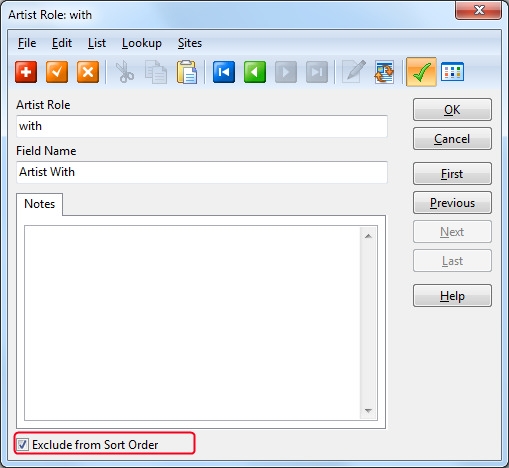
Then, choose Tools->Database Maintenance and click the Update ArtistSort button to update the sort order of albums and tracks already in the database.
When this box is not checked:

As you can see, Speed King is listed after the other Ian Gillan tracks since Speed King is sorted on both Ian Gillan and Joe Satriani.
When this box is checked:

As you can see, Speed King is now sorted among the other Ian Gillan tracks.